
The available URL structures
Set this at AIQ Ecommerce Products → API Settings → General → Store URL Structure.
Localized (the default)
The venue is part of every address.
/{base-slug}/{venue}/categories/{category}/
/{base-slug}/{venue}/product/{product-slug}/
With the default base slug menu and a venue called Camden:
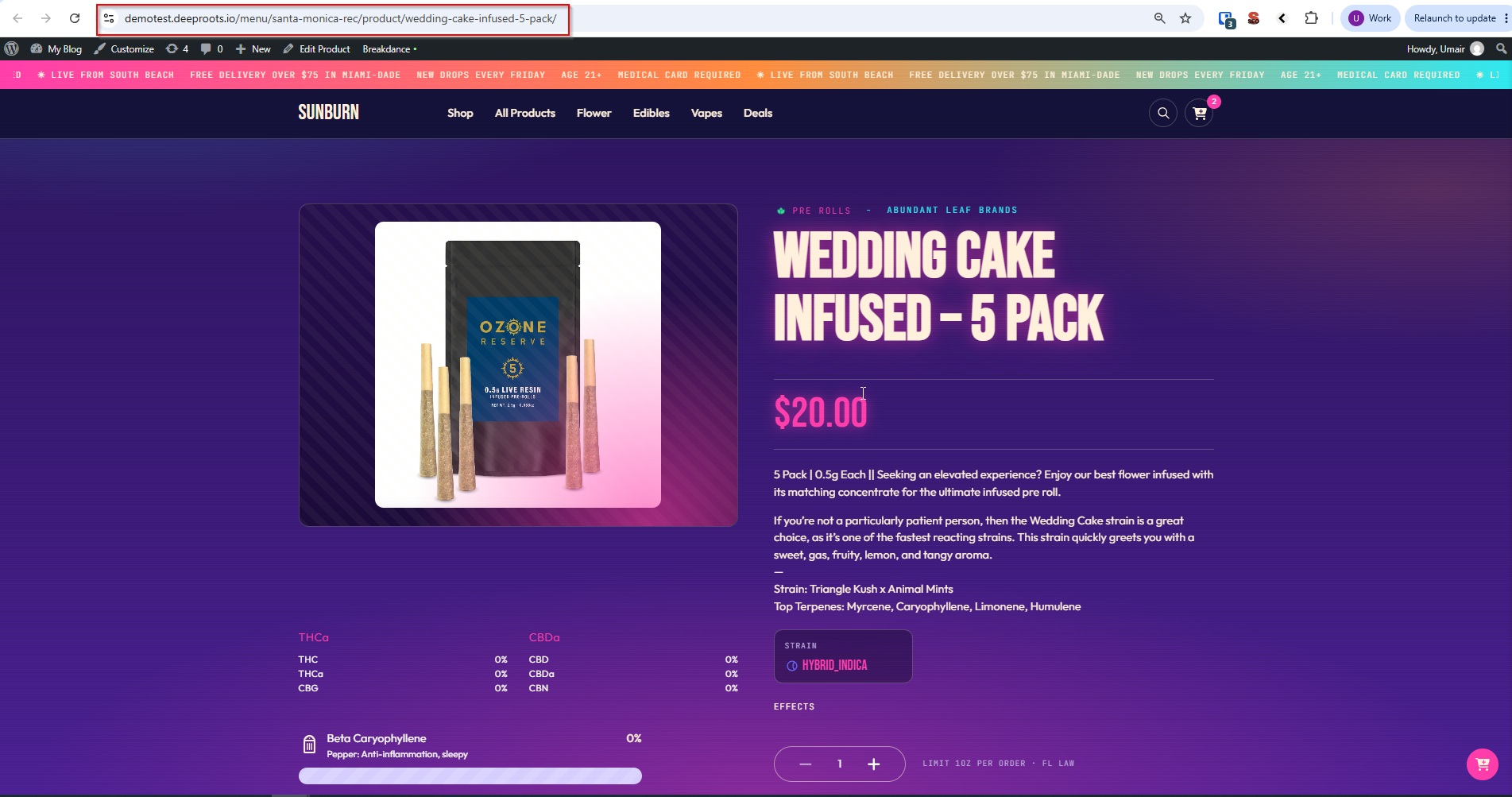
/menu/camden/categories/flower/
/menu/camden/product/blue-dream-3-5g/
Universal
The venue is left out.
/categories/{category}/
/product/{product-slug}/
/categories/flower/
/product/blue-dream-3-5g/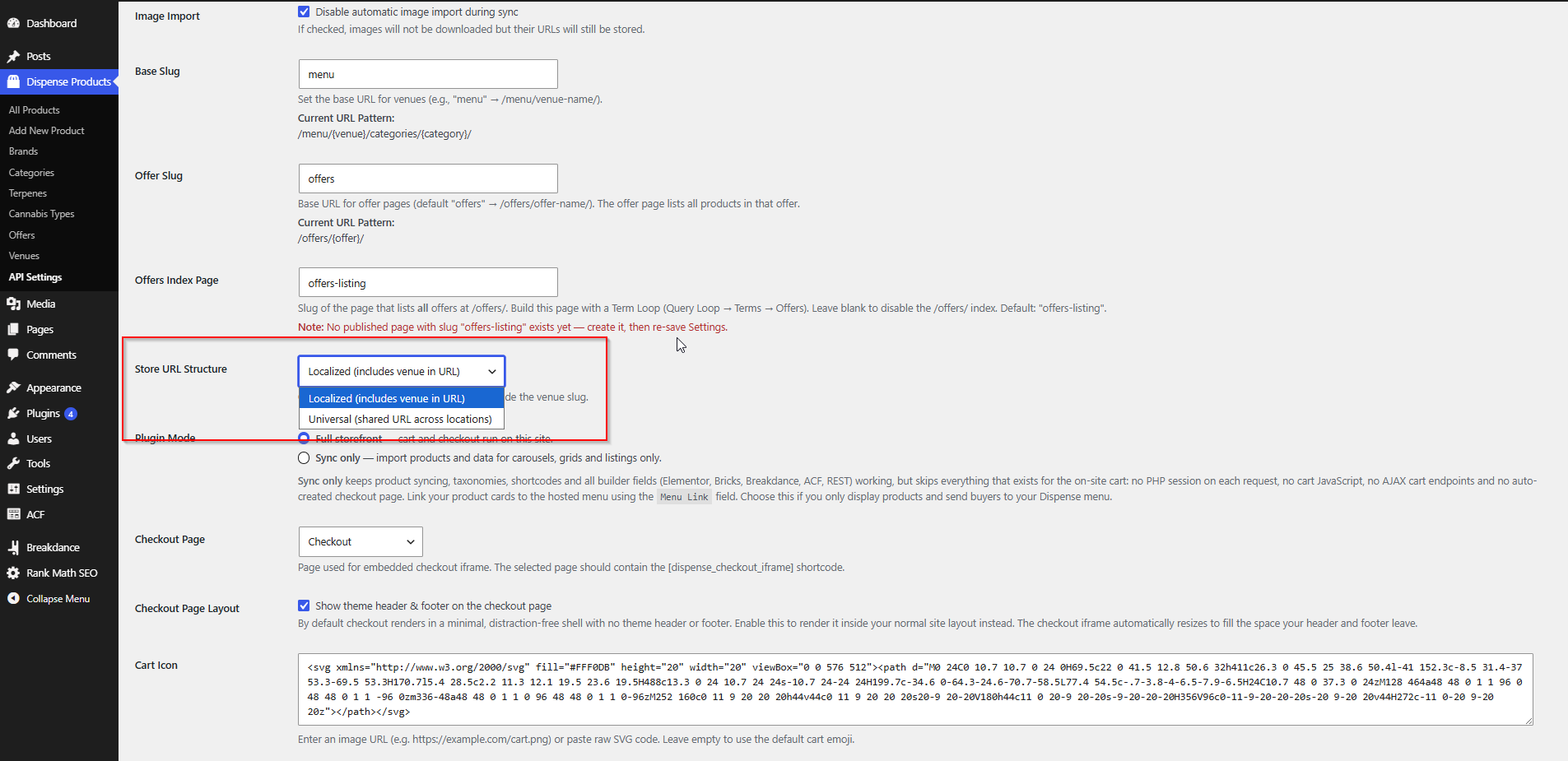
Taxonomy archives
These are the same in both structures:
| Taxonomy | URL |
|---|---|
| Brand | /brand/{slug}/ |
| Offer | /offers/{slug}/ (base configurable) |
| Terpenes | /terpenes/{slug}/ |
| Cannabis Type | /cannabis_type/{slug}/ |
| Venue | /dispense-venue/{slug}/ |
Choosing one for your business
Choose Universal if…
- You have one location. Repeating a location name that never changes adds nothing.
- Your catalogue is effectively identical across locations and you want one page per product.
- SEO simplicity matters most — one URL per product, one page to rank, no duplication.
Watch out for: with several venues syncing, the same product exists once per venue, so an unfiltered listing shows it twice. Filter listings by venue, or accept it.
Choose Localized if…
- You have several locations with different stock or prices. The URL says which one you are looking at, and a shared link lands on the right one.
- Local SEO matters. Each location’s pages can rank for its area.
- Customers pick a location first and browse within it.
Watch out for: the same product exists at several addresses. Set canonical URLs in your SEO plugin if duplication concerns you.
A rule of thumb
The base slug
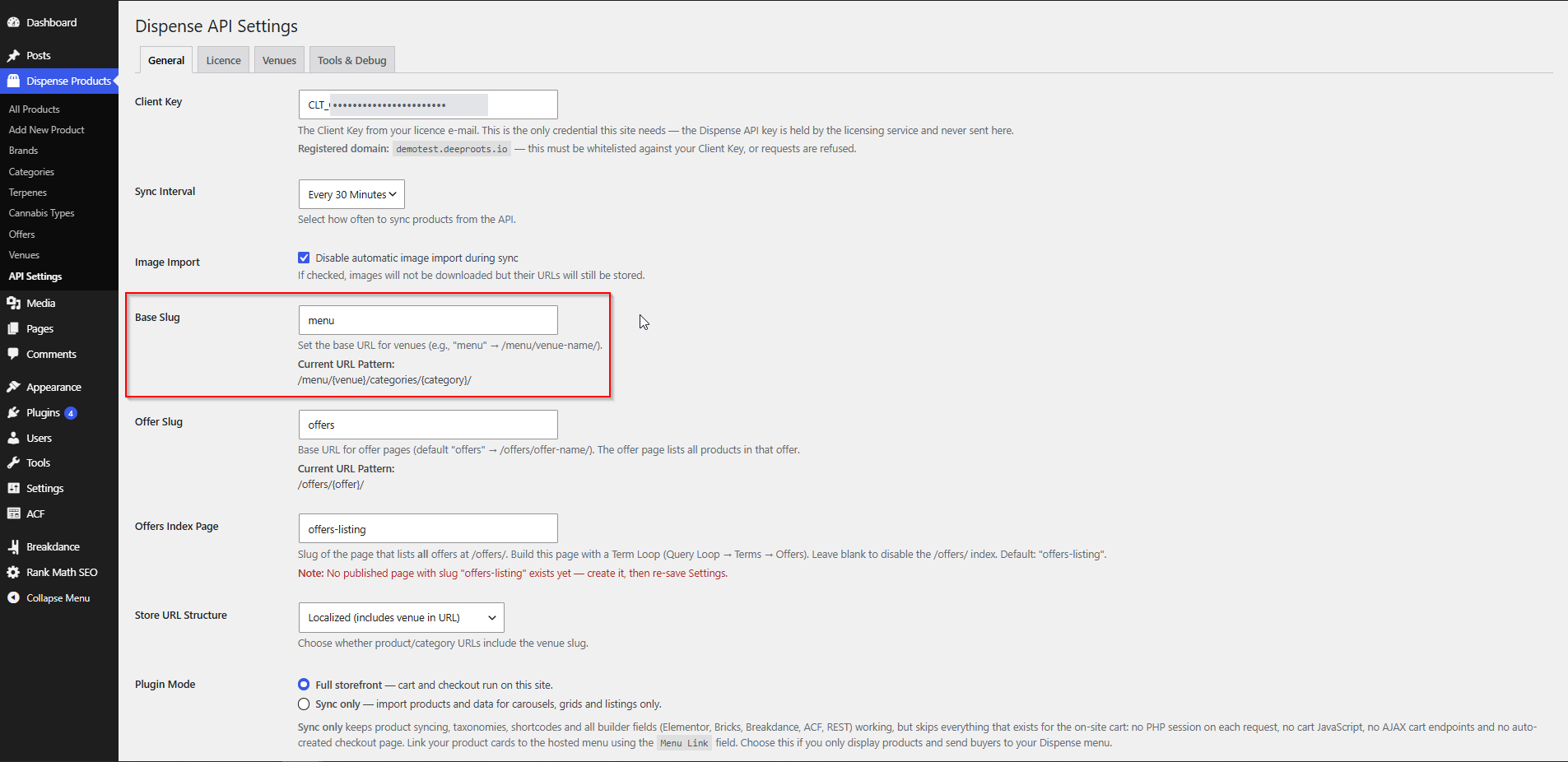
The Base Slug setting decides the {base-slug} part of localized URLs. It defaults to menu.
| Base slug | Resulting URL |
|---|---|
menu |
/menu/camden/product/blue-dream/ |
shop |
/shop/camden/product/blue-dream/ |
store |
/store/camden/product/blue-dream/ |
dispensaries |
/dispensaries/camden/product/blue-dream/ |
Pick something short, obvious and in your customers’ language. The General tab shows the resulting pattern under Current URL Pattern.
What happens when you change it
Saving a new base slug does several things at once:
- Creates a page with the new slug, or renames the existing base page to it.
- Moves any child pages of the old base page under the new one.
- Sets the old page to draft rather than deleting it.
- Refreshes your permalink rules.
Nothing is destroyed, but every localized URL on your site changes.
The offer slug
AIQ Ecommerce Products → API Settings → General → Offer Slug sets the base for offer pages. It defaults to offers.
| Offer slug | Single offer | All offers |
|---|---|---|
offers |
/offers/20-percent-off-flower/ |
/offers/ |
deals |
/deals/20-percent-off-flower/ |
/deals/ |
promotions |
/promotions/20-percent-off-flower/ |
/promotions/ |
The all-offers page needs the Offers Index Page setting as well — see Offers & Promotions.
Changing the offer slug flags your permalinks for a refresh on the next request. If offer pages 404 straight afterwards, go to Settings → Permalinks and click Save Changes.
Changing your product and offer page addresses
If you have to change structure after launch, work through this in order.
1. Record the current URLs
Export a list of every product and category URL before you change anything. You need it to build redirects. Your SEO plugin, a crawler, or your sitemap will give you the list.
2. Make the change
Change Store URL Structure, Base Slug or Offer Slug and click Save Settings.
3. Flush permalinks
Settings → Permalinks → Save Changes, without altering anything. Do this even though the plugin refreshes them itself — it costs nothing and rules out a whole class of problem.
4. Set up redirects
Every old URL should 301-redirect to its new equivalent. Use Redirection, Rank Math, Yoast Premium or your server configuration.
Going from Localized to Universal:
/menu/camden/product/blue-dream-3-5g/   →   /product/blue-dream-3-5g/
/menu/camden/categories/flower/         →   /categories/flower/
Going from Universal to Localized, you have to choose a destination venue — usually your main location:
/product/blue-dream-3-5g/ → /menu/camden/product/blue-dream-3-5g/Wildcard or regex rules save a great deal of typing here.
5. Update everything that points at the old URLs
- Internal links in pages and posts
- Navigation menus
- Paid search and social ads
- Email templates
- QR codes and printed material
- Your XML sitemap — regenerate it
- Google Business Profile links
6. Resubmit to search engines
Submit the new sitemap in Google Search Console and Bing Webmaster Tools.
What to check after making a change
Work through this list:
- [ ] A product page loads at its new URL
- [ ] A category archive loads at its new URL
- [ ] A brand archive loads
- [ ]
/offers/loads the index page - [ ] A single offer page loads
- [ ] Old URLs redirect rather than 404
- [ ] Product links in listings point at the new URLs
- [ ] Pagination works — check page 2 of a category
- [ ] The cart and checkout still work
- [ ] Your sitemap shows the new URLs
- [ ] Nothing 404s in Search Console after a few days
SEO considerations
Duplicate content with Localized URLs
The same product at several addresses looks like duplication. Options:
- Set a canonical URL to your primary location’s version. Simplest, and usually right.
- Differentiate the pages with genuinely local content — stock, opening hours, staff picks.
Better if you want each location to rank locally.
- Accept it. Search engines handle near-duplicates across locations reasonably well when the pages are genuinely for different places.
Crawl budget
Several locations multiply your page count. On a 2,000-product catalogue across three locations, that is 6,000 product pages. Watch crawl stats in Search Console, and consider excluding lower-priority archives — terpene archives, for instance — from your sitemap.
URLs to keep out of search results
- The checkout page
- Any thank-you page
- Cart URLs
Mark them noindex in your SEO plugin.
Structured data
The plugin does not output product structured data. If you want rich results, add Product schema in your SEO plugin or page builder, mapping:
| Schema property | Field |
|---|---|
name |
Post title |
description |
Post content |
image |
dispense_product_image_url |
offers.price |
dispense_product_price |
brand |
Brand taxonomy term |
Take care with price and availability: structured data that disagrees with the page can trigger warnings in Search Console, and prices change on every sync.
Common problems
Every product page 404s after a change.
Flush permalinks: Settings → Permalinks → Save Changes.
Some products work and others 404.
Usually a duplicate or missing slug. Check the product’s slug in the admin, and check its venue post exists — localized URLs are built from the venue’s slug.
The old base page is still in my menu.
It was set to draft rather than deleted, but menu items are not updated automatically. Edit your menu.
/offers/ shows a 404.
Three checks: the index page exists and is published; its slug matches Offers Index Page; permalinks have been flushed.
Localized URLs show the wrong venue.
A product’s URL uses the venue it was imported from. Check the venue slug under AIQ Ecommerce Products → Venues.
Pagination 404s past page 1.
Flush permalinks. Pagination rules are registered alongside the main URL rules.
My rankings dropped after changing structure.
Expected for a few weeks if redirects are in place. If they do not recover, check every old URL genuinely 301s to a live page rather than to a 404 or a redirect chain.