
Breakdance has the fullest field coverage of the three supported builders — including a dedicated offers group — with one important limitation around term loops that this article explains.
Setting up
Nothing to install. When Breakdance is active, the plugin registers three dynamic data groups automatically.
To confirm:
- Edit any page with Breakdance.
- Add a Text element.
- Click the dynamic data icon.
- Look for AIQ Ecommerce Products, AIQ Ecommerce Brands and AIQ Ecommerce Offers in the list.
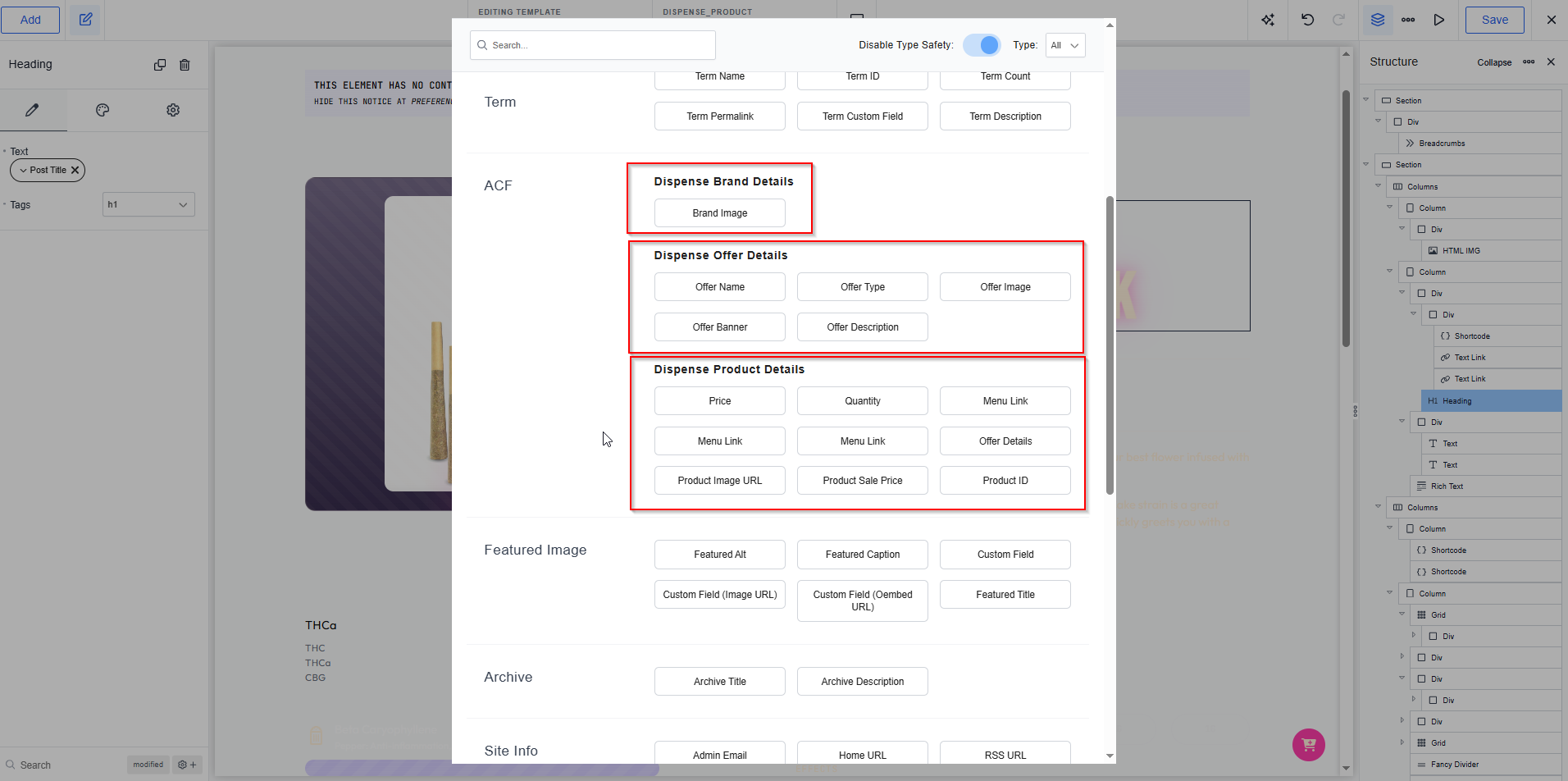
If they are missing, check both plugins are active and clear Breakdance’s cache at Breakdance → Settings → Performance → Regenerate CSS.
Available dynamic fields
AIQ Ecommerce Products
Available on product pages and in a post loop over dispense_product.
| Label | Field key | Type |
|---|---|---|
| Price | dispense_product_price |
String |
| Quantity | dispense_product_quantity |
String |
| Menu Link | dispense_product_menu_link |
URL |
| Offer Details | dispense_product_offer |
String |
| Product Image URL | dispense_product_image_url |
String |
| Product Sale Price | dispense_product_sale_price |
String |
AIQ Ecommerce Brands
Available on product pages and in the Term Loop Builder.
| Label | Field key | Type |
|---|---|---|
| Brand Image URL | dispense_brand_image_url |
Image |
| Brand Name | dispense_brand_name |
String |
AIQ Ecommerce Offers
Available on the offer archive, in a term loop over dispense_offer, and on product pages, where they use the product’s first assigned offer.
| Label | Field key | Type |
|---|---|---|
| Offer Name | dispense_offer_name |
String |
| Offer Type | dispense_offer_type |
String |
| Deal Type | dispense_offer_deal_type |
String |
| Offer Description | dispense_offer_description |
String |
| Offer Image | dispense_offer_image |
Image |
| Offer Banner | dispense_offer_banner |
Image |
| Banner (Desktop) | dispense_offer_banner_large |
Image |
| Banner (Tablet) | dispense_offer_banner_medium |
Image |
| Banner (Mobile) | dispense_offer_banner_small |
Image |
| Banner Link | dispense_offer_banner_link |
URL |
ACF fields
The offer fields are also exposed as an ACF field group called AIQ Ecommerce Offer Details on the offer taxonomy, so they appear in Breakdance’s ACF dynamic data source alongside everything else.
They are virtual, resolved from term data when read:
| ACF field | Resolves to |
|---|---|
dispense_offer_name_resolved |
The offer term's name |
dispense_offer_type_resolved |
Offer type |
dispense_offer_image_resolved |
Offer image, falling back to the desktop banner |
dispense_offer_banner_resolved |
Banner: large → medium → small → offer image |
dispense_offer_description_resolved |
Offer description |
These resolve only where there is a real offer context — the single /offers/{slug}/ page. On a page with no offer, they are empty.
Taxonomies
Use the Terms element and select the taxonomy: dispense_brand, dispense_category, dispense_cannabis_type, dispense_terpenes, dispense_offer, dispense_venue_tax.
The Term Loop limitation
This is the one thing that catches people out, so it is worth stating plainly.
Breakdance hands a term loop only its own built-in fields — essentially the term title. It never passes the loop’s current term to custom dynamic fields, whether they are the plugin’s native tags or its ACF fields. So a term loop over offers gives you offer names, and every banner comes out empty.
This is a Breakdance limitation, not something the plugin can work around from inside the loop.
The solution is [dispense_offers], which resolves every offer on the server and returns a complete grid with banners, names and type badges.
| Building | Use |
|---|---|
| A list of all offers | [dispense_offers] |
| A single offer page | Dynamic fields — they work perfectly |
| A single offer's banner anywhere | [dispense_offer_banner] or the Offer Banner field |
The same caution applies to brand term loops: use [dispense_brand_image] in a Shortcode element, which resolves the brand server-side.
Building a product listing
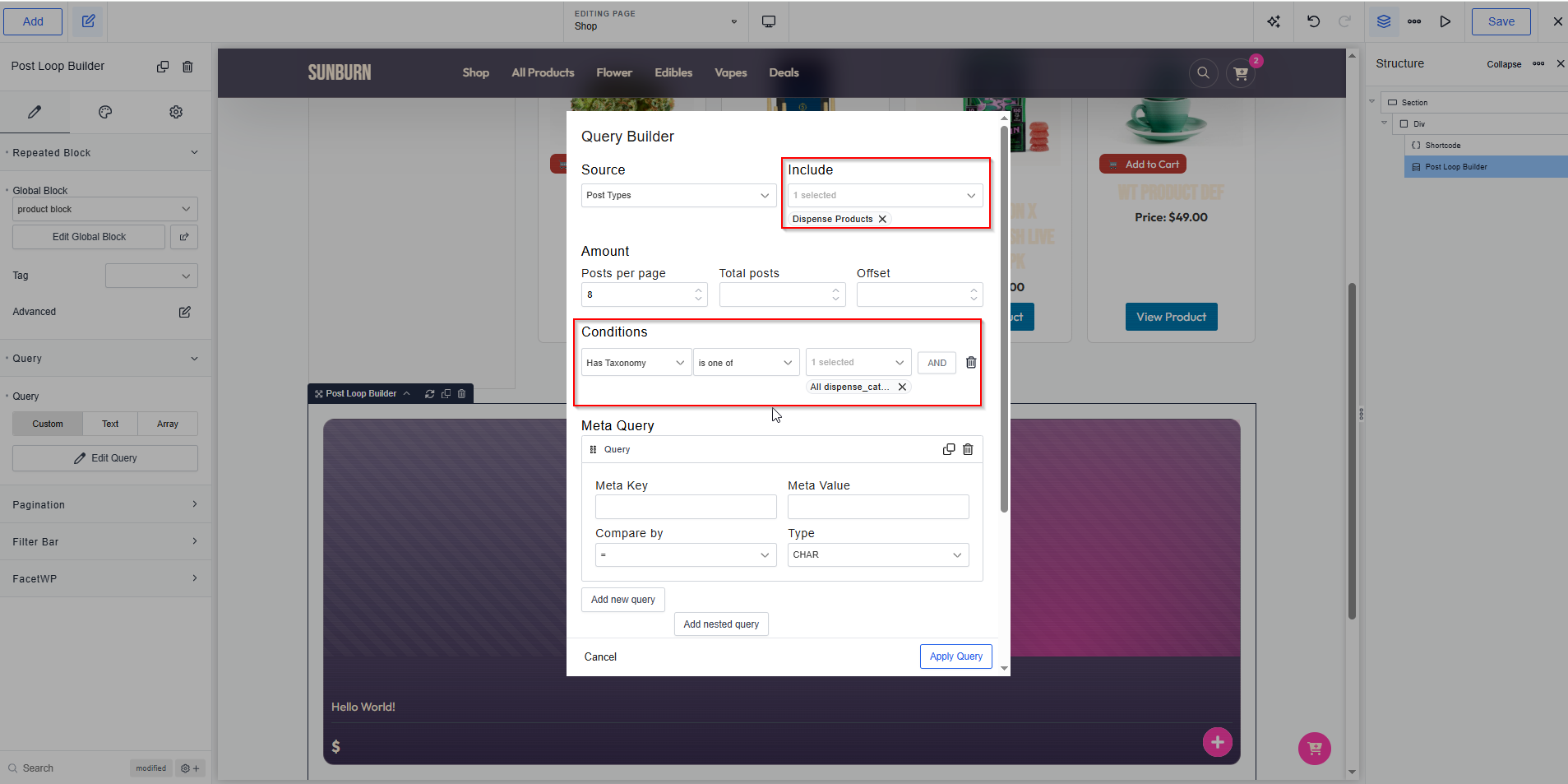
- Add a Post Loop Builder element.
- Set Post Type to AIQ Ecommerce Product.
- Set posts per page — 12 or 24.
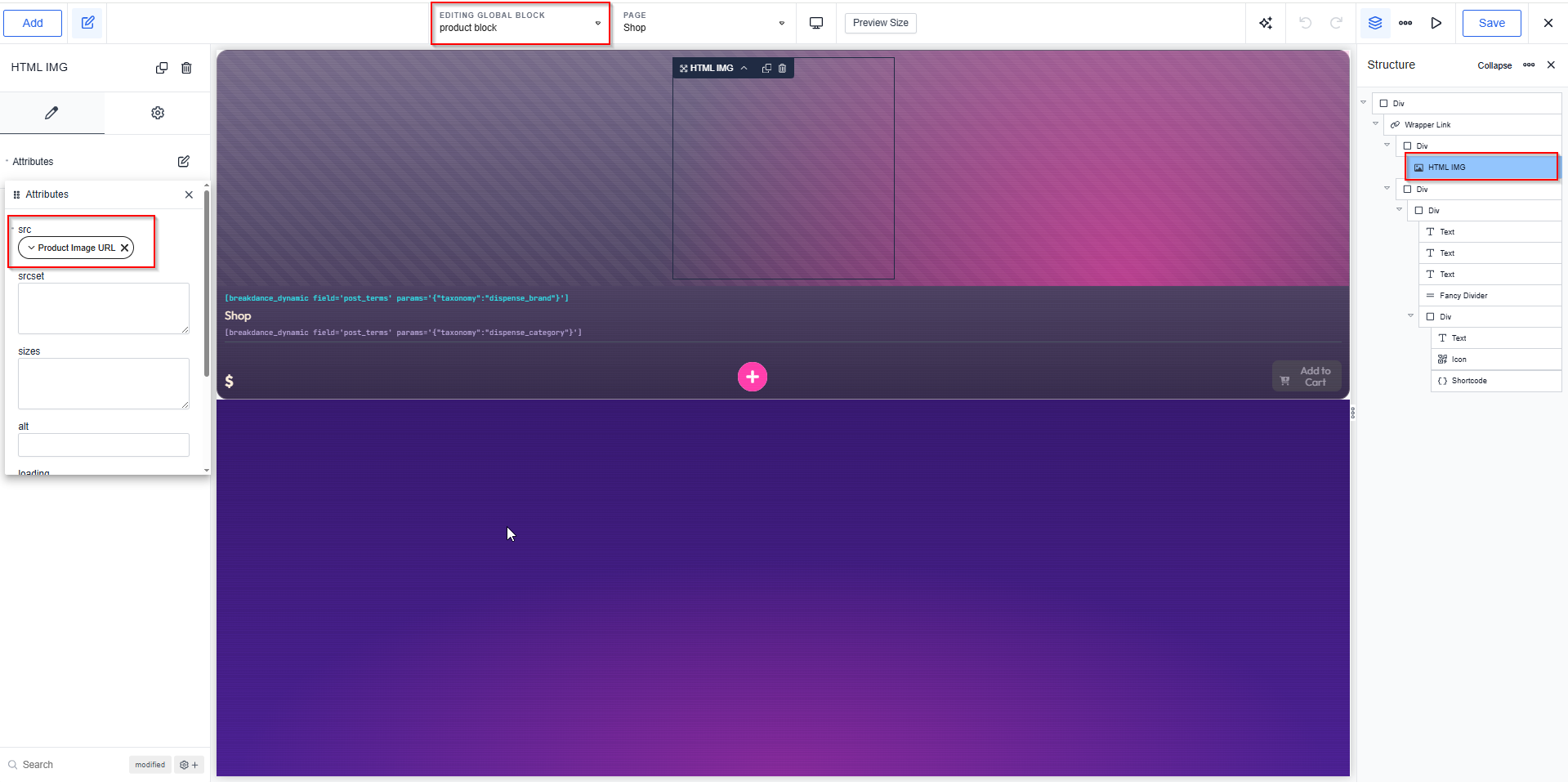
- Design the card in the loop template.
The card
| Element | Dynamic data |
|---|---|
| Image | AIQ Ecommerce Products → Product Image URL |
| Heading | Post → Title |
| Text | AIQ Ecommerce Products → Price |
| Text | AIQ Ecommerce Products → Product Sale Price (conditional) |
| Text | AIQ Ecommerce Products → Offer Details (conditional) |
| Terms | dispense_brand |
| Button | Post → Permalink (Full storefront) or AIQ Ecommerce Products → Menu Link (Sync only) |
Filtering the loop
In the loop’s query settings, add a taxonomy filter:
| To show | Taxonomy |
|---|---|
| One category | dispense_category |
| One brand | dispense_brand |
| One location | dispense_venue_tax |
| One offer | dispense_offer |
| On sale | dispense_category → Sale |
To sort by price, order by Meta value (number) on dispense_product_price.
Conditions
| Show only when | Condition |
|---|---|
| On sale | Product Sale Price is not empty |
| Has an offer | Offer Details is not empty |
| In stock | Quantity is greater than 0 |
With the shortcode instead
A Shortcode element containing [custom_product_filter show_filters="true"] gives you the built-in filters.
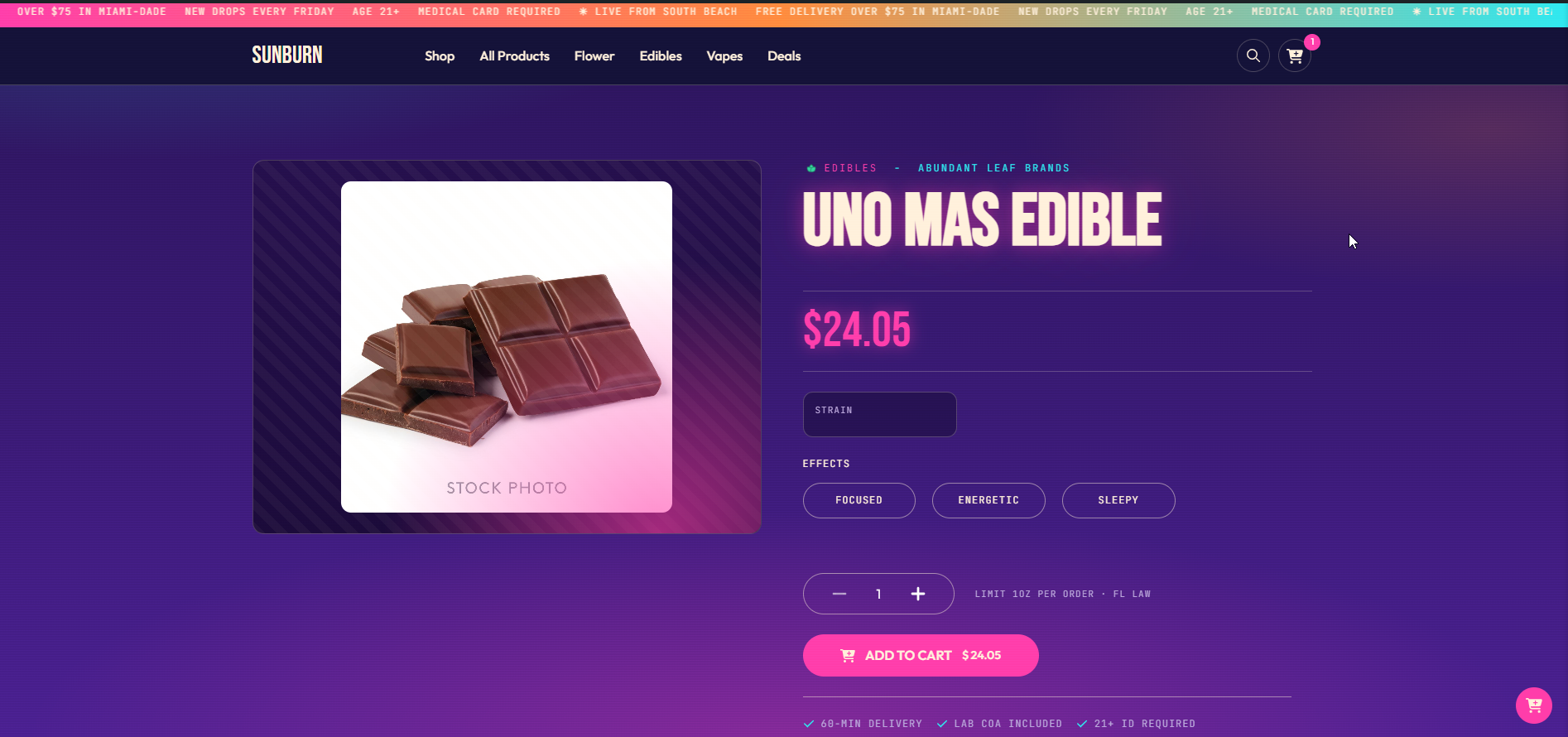
Building a single product page
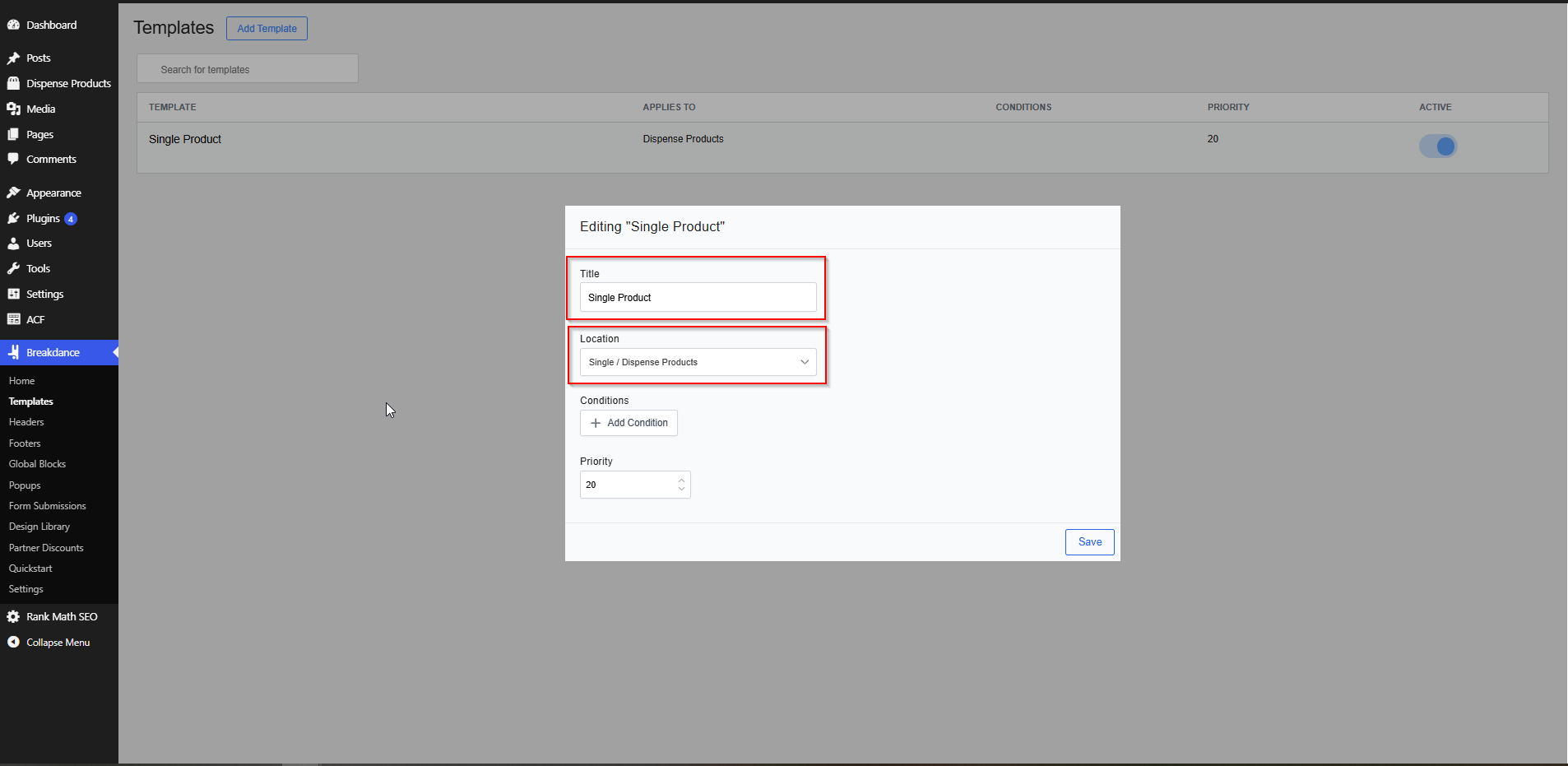
- Go to Breakdance → Templates.
- Create a Singular template.
- Set the condition to the AIQ Ecommerce Product post type.
A workable layout
Left column
Image element → Dynamic → AIQ Ecommerce Products → Product Image URL Right column
| Element | Content |
|---|---|
| Heading | Post → Title |
| Terms | dispense_brand |
| Text | AIQ Ecommerce Products → Price |
| Text | AIQ Ecommerce Products → Product Sale Price (conditional) |
| Terms | dispense_cannabis_type |
| Text | AIQ Ecommerce Products → Offer Details (conditional) |
| Shortcode | [dispense_product_quantity_buttons] |
| Shortcode | [dispense_add_to_cart] |
Below
An Accordion or Tabs element, one Shortcode element per pane:
| Pane | Content |
|---|---|
| Description | Post → Content |
| Cannabinoids | [dispense_product_cannabinoids] |
| Terpenes | [dispense_product_terpenes] |
| Effects | [dispense_product_effects] |
In Sync only mode
Replace the add-to-cart shortcode with a Button linked to AIQ Ecommerce Products → Menu Link.
Building offer layouts
An all-offers page
- Create a page.
- Add a Shortcode element.
- Enter
[dispense_offers columns="3" hide_empty="1"]. - Set AIQ Ecommerce Products → API Settings → General → Offers Index Page to that page’s slug.
- Flush permalinks at Settings → Permalinks → Save Changes.
Not a Term Loop Builder — see the limitation above.
A single offer page
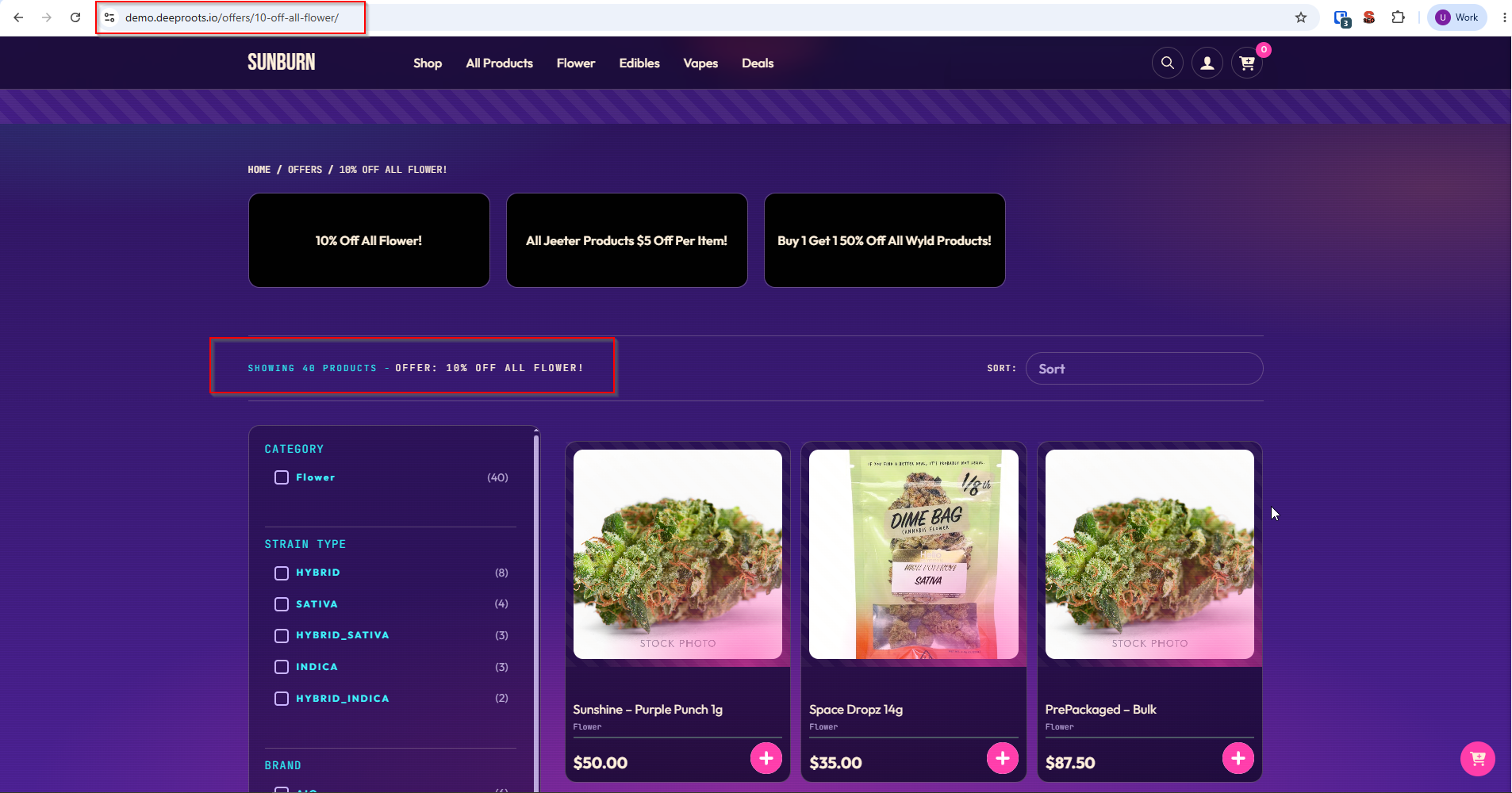
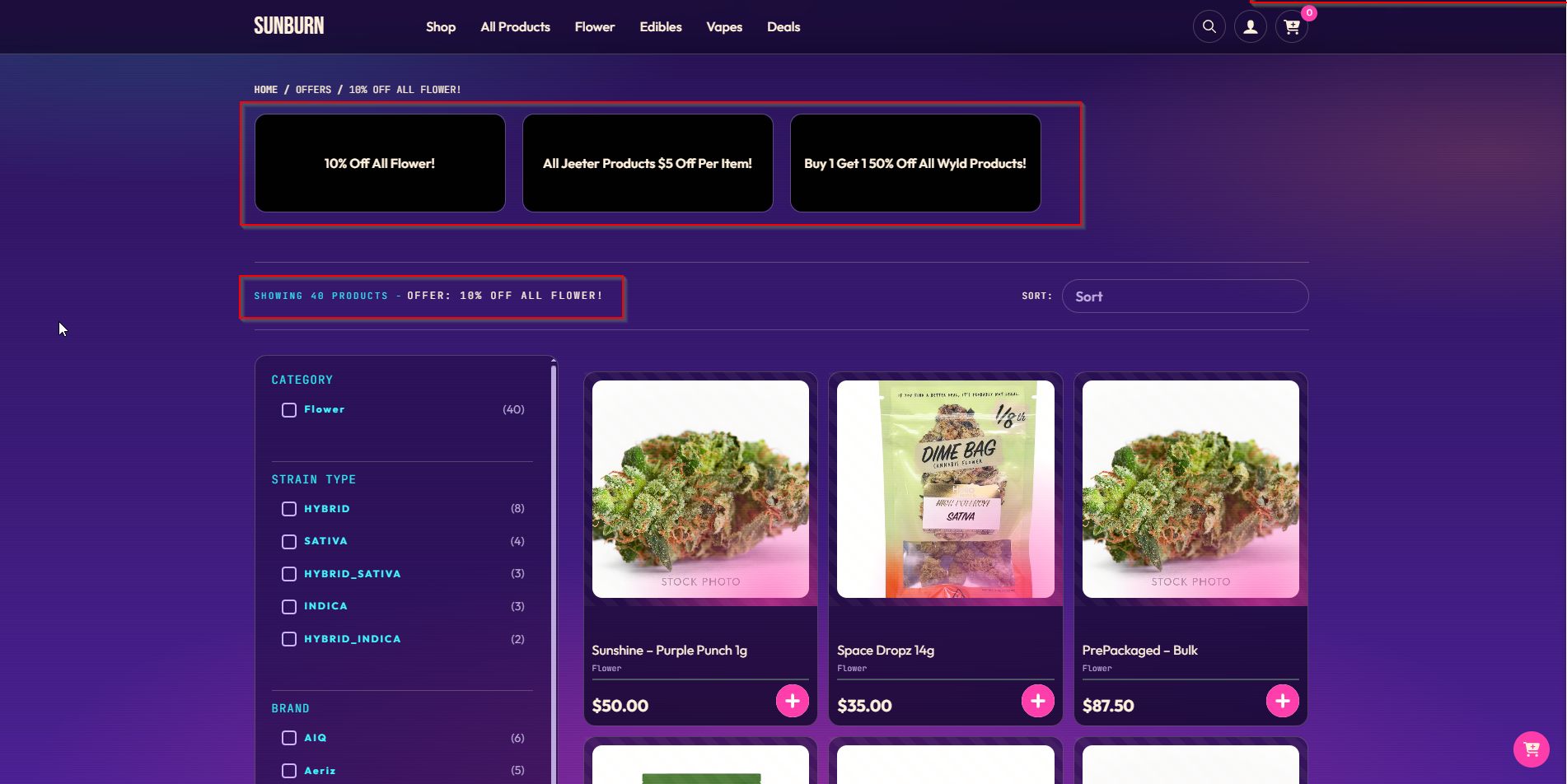
Here the dynamic fields work fully, which is where Breakdance earns its keep.
- Create a Breakdance Archive template.
- Set the condition to the Offer taxonomy (
dispense_offer). - Build the header:
| Element | Dynamic data |
|---|---|
| Image | AIQ Ecommerce Offers → Offer Banner |
| Heading | AIQ Ecommerce Offers → Offer Name |
| Text | AIQ Ecommerce Offers → Offer Type |
| Text | AIQ Ecommerce Offers → Offer Description |
- Add a Post Loop below to list the offer’s products — the archive query already has them.
Responsive art direction
If you have genuinely different crops per device, use the per-device fields with Breakdance’s breakpoint controls: Banner (Desktop) above 1024px, Banner (Tablet) 768–1024px, Banner (Mobile) below 768px. Otherwise use Offer Banner and let it resolve.
Brand pages
An Archive template on the Brand taxonomy. Use the AIQ Ecommerce Brands fields on the term page, or [dispense_brand_image] in a Shortcode element.
Performance notes
- Keep loop page sizes to 12–24.
- Prefer taxonomy queries to meta queries.
- Turn on Breakdance’s CSS optimisation options under Breakdance → Settings → Performance.
- Set explicit image sizes.
- Pages using the live detail shortcodes cannot be page-cached.
Common problems
The AIQ Ecommerce groups are missing from dynamic data.
Check both plugins are active, then regenerate Breakdance’s CSS.
Offer banners are empty in my offers listing.
You built it with a Term Loop Builder. Use [dispense_offers].
Offer fields are empty on a normal page.
They need an offer context. On a page with no offer they resolve empty — that is expected.
The image element shows nothing.
Bind it to Product Image URL. Products have no featured image.
Sorting by price is wrong.
Order by Meta value (number), not Meta value.
Add to Cart does nothing in a loop.
Pass the ID: [dispense_add_to_cart product_id="{{acf:dispense_product_id}}"].
The ACF offer fields do not resolve in a term loop.
Same limitation as the native fields — Breakdance keeps the ACF context on the page, not the loop’s term. Use the shortcode.
My template does not apply to products.
Check the condition targets the AIQ Ecommerce Product post type, and that no more specific template is taking precedence.