
Understanding venues
In Dispense, a venue is a location — a shop, a delivery zone, a licensed site. Each venue has its own catalogue, its own prices and its own stock.
The plugin mirrors that structure in WordPress in two ways at once:
| In WordPress | Key | What it is for |
|---|---|---|
| Venue post type | dispense_venue |
One post per venue. Gives each location a slug for URLs, and a record products can be linked to. |
| Venue taxonomy | dispense_venue_tax |
A term per venue, assigned to products. This is what you filter and query by. |
Every imported product carries its venue. That is what makes it possible to show only one location’s products on a page, or to give each location its own set of URLs.
Venues are created by the sync — you do not add them by hand. If you rename a venue in Dispense, the name updates on the next sync.
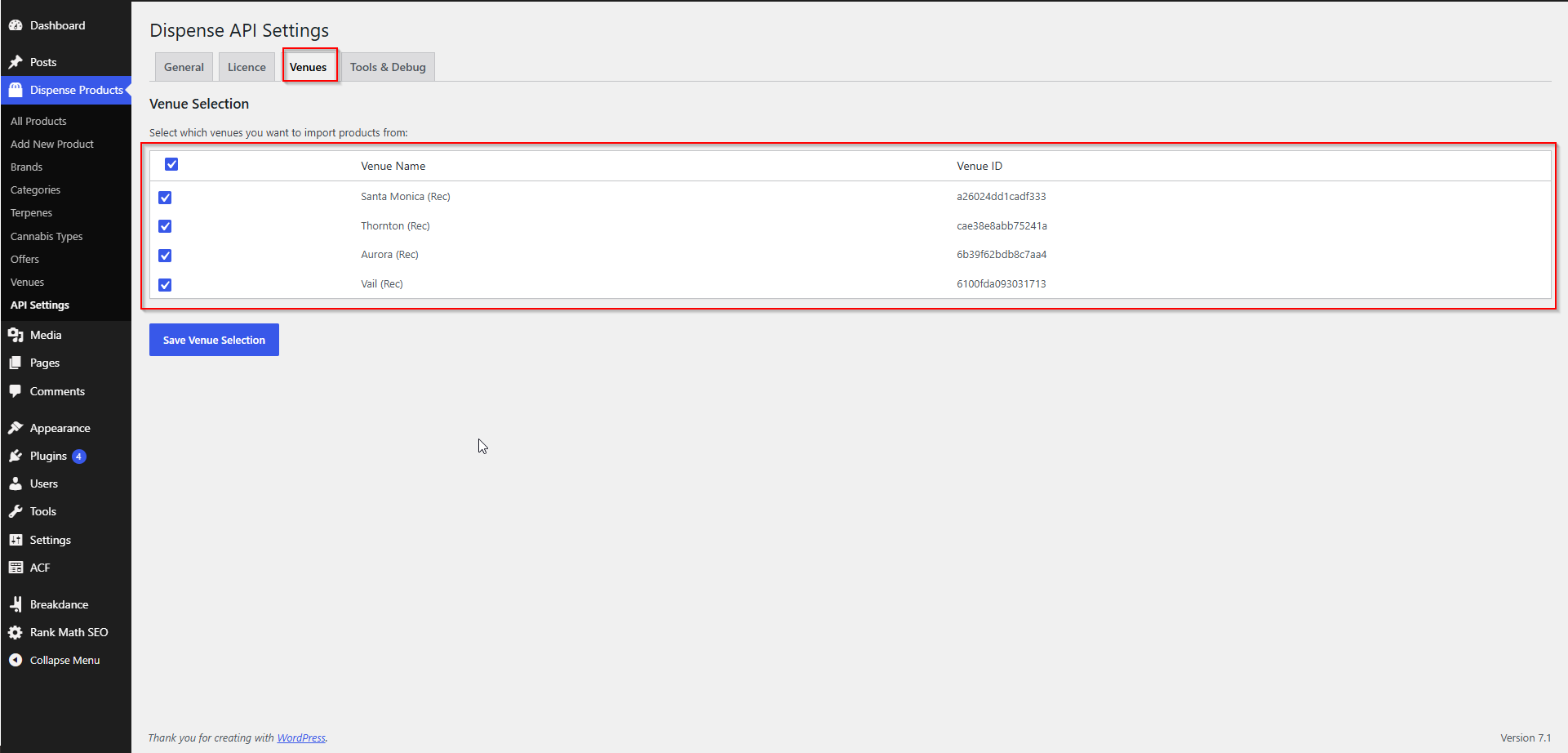
Choosing which locations to sync
Which venues appear on your licence is decided by Deeproots when your licence is set up. Which of those you actually import is up to you.
- Go to AIQ Ecommerce Products → API Settings → Venues.
- The venues on your licence are fetched live and listed with names and IDs.
- Tick the ones you want.
- Click Save Venue Selection.
The tick box in the header row selects or clears everything at once.
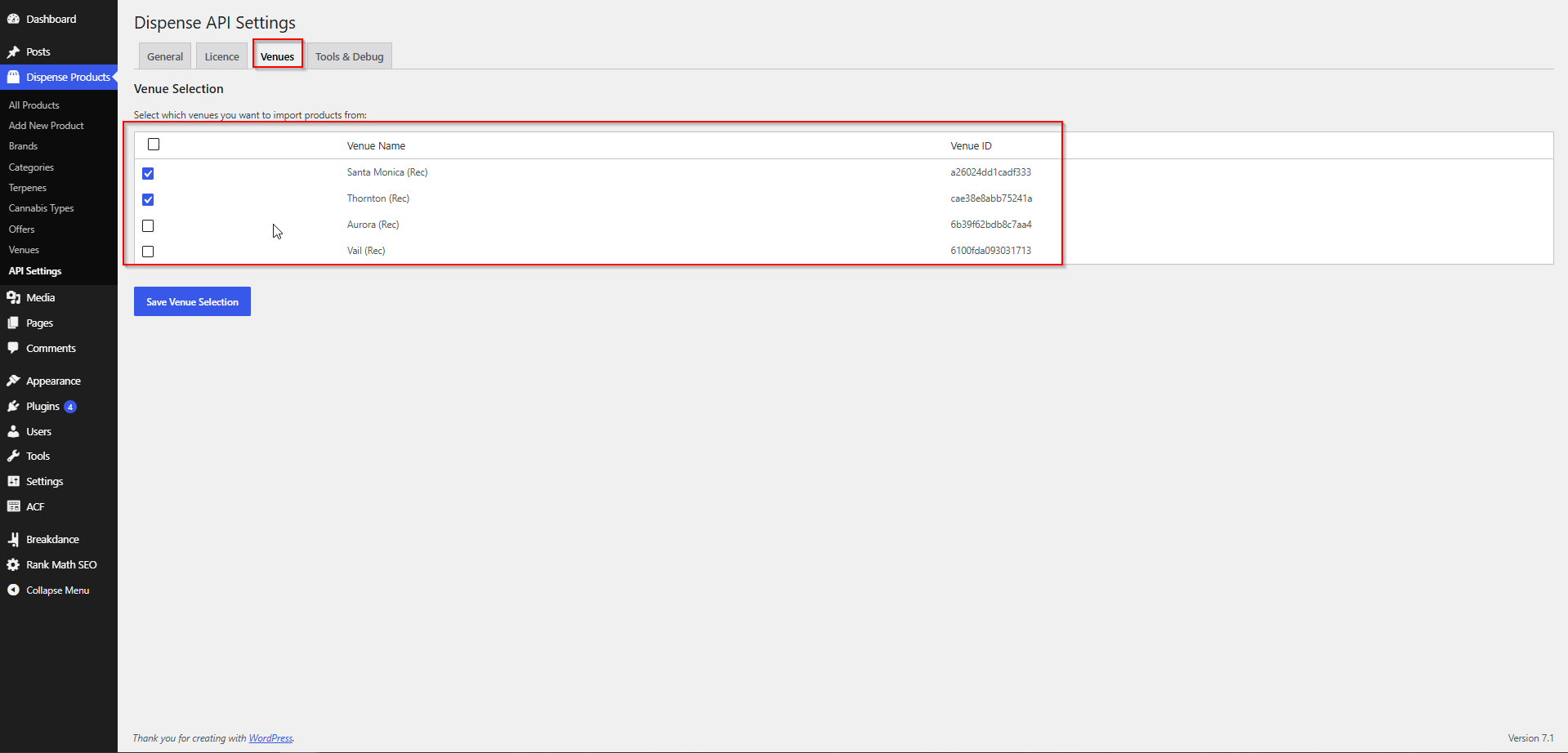
If nothing has ever been ticked, the plugin treats every venue on the licence as selected. Once you save a selection, that selection is what counts.
If a venue you expect is missing
The Venues tab shows what is on your licence, so a missing venue means one of:
- The venue is new in AIQ Ecommerce and has not been added to your licence yet.
- The venue belongs to a different AIQ Ecommerce account that is not on your licence.
Either way, ask support to add it — see Account Changes & Requests. You do not need a new Client Key for this.
If you run several AIQ Ecommerce accounts
That is handled for you. The licensing service works out which AIQ Ecommerce account can serve each venue and uses the right credential automatically. On your side there is one Client Key and one list of venues, however many accounts sit behind it.
Running a single-location store
This is the simple case, and most stores are it.
Recommended settings:
| Setting | Value |
|---|---|
| Venues | Your one venue, ticked |
| Store URL Structure | Universal |
| Base Slug | menu (or anything you prefer) |
With Universal, your URLs leave the venue out, because there is only one:
/product/blue-dream-3-5g/
/categories/flower/
That is shorter, easier to share, and better for SEO than repeating a location name that never changes.
Everything else works normally — listings, filters, the cart and checkout all behave the same.
Running a multi-location store
With several venues, you have a decision to make about how visitors experience the locations. There are two workable patterns.
Pattern A — separate menus per location (recommended)
Each location gets its own set of pages and its own URLs. A visitor picks a location and browses that location’s menu.
| Setting | Value |
|---|---|
| Venues | All locations, ticked |
| Store URL Structure | Localized |
| Base Slug | menu |
Resulting URLs:
/menu/camden/categories/flower/
/menu/camden/product/blue-dream-3-5g/
/menu/shoreditch/categories/flower/
/menu/shoreditch/product/blue-dream-3-5g/
Why this is usually right:
- Prices and stock genuinely differ per location, and the URL says which one you are looking at.
- Each location’s pages can rank in local search for that area.
- A shared link always lands on the right location’s product.
What it costs you: the same product exists at several addresses, one per location. Set a canonical URL in your SEO plugin if you are concerned about duplication, and be aware you are maintaining more pages.
Pattern B — one combined menu
All locations feed one set of pages, and the visitor filters or is assigned a location.
| Setting | Value |
|---|---|
| Venues | All locations, ticked |
| Store URL Structure | Universal |
Resulting URLs:
/categories/flower/
/product/blue-dream-3-5g/
Why you might want this: one clean set of URLs, one page per product, simpler SEO.
What it costs you: if the same product exists at two locations it is imported twice, so an unfiltered listing shows it twice. You need to filter listings by venue — with a query loop condition on the Venue taxonomy, or a FacetWP venue facet — or accept the duplication.
Which to choose
Choose Pattern A if locations have different prices, different stock, or matter for local SEO.
That is most multi-location dispensaries.
Choose Pattern B if the catalogue is effectively identical everywhere and you want the simplest possible site.
Decide before launch. Changing the URL structure later changes every product address on the site.
Building location-aware pages
Whichever pattern you pick, the tools are the same.
Show one venue’s products in a page builder loop. Add a query condition on the Venue taxonomy (dispense_venue_tax) for that location’s term.
Show one venue’s products with a shortcode. [dispense_products] takes a AIQ Ecommerce venue ID:
[dispense_products venue_id="YOUR-DISPENSE-VENUE-ID"]Copy the ID from the Venue ID column on the Venues tab.
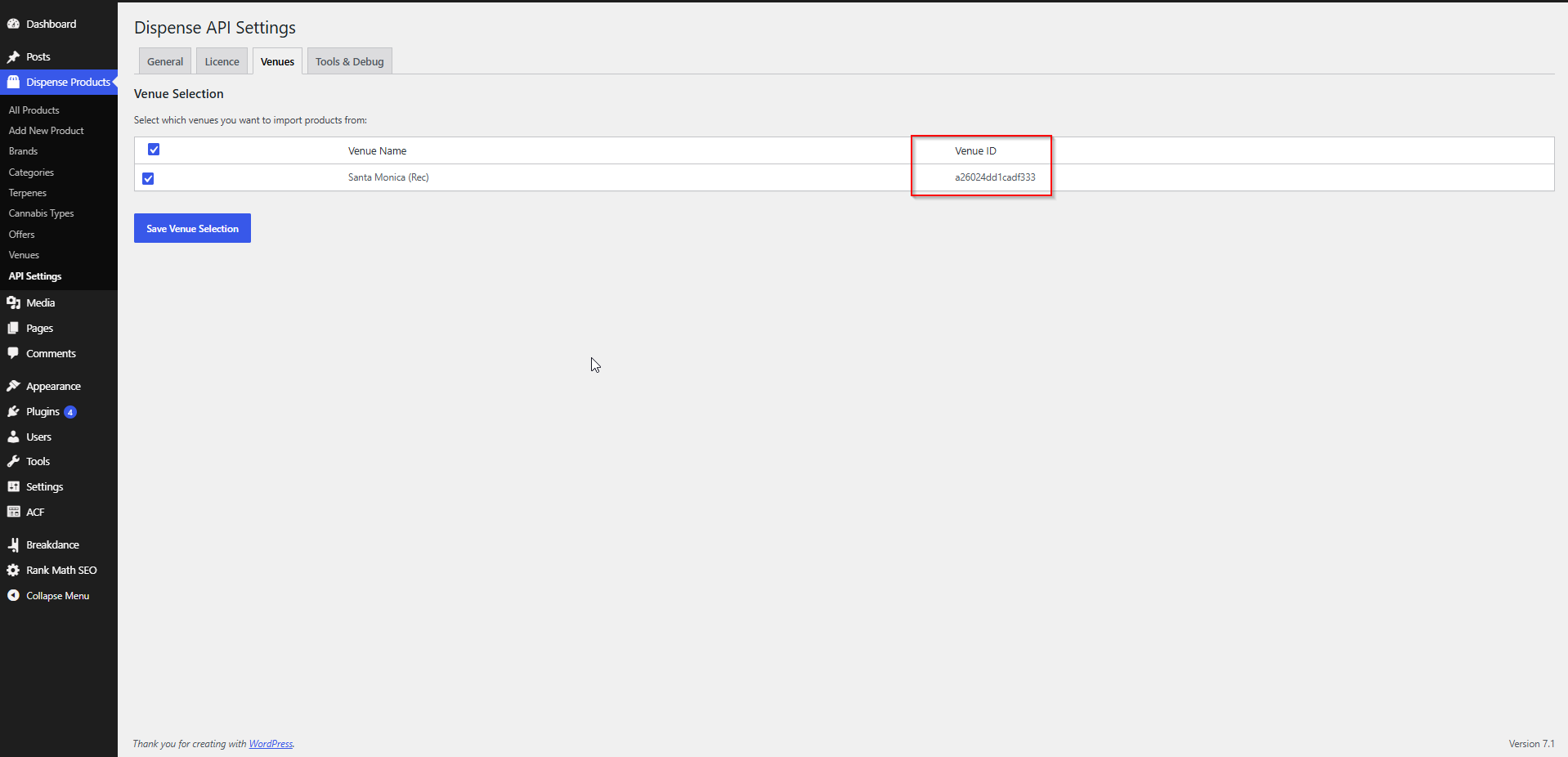
Let visitors choose a location. Build a simple location-picker page linking to each location’s menu URL. With Localized URLs those are /menu/{venue-slug}/categories/{category}/.
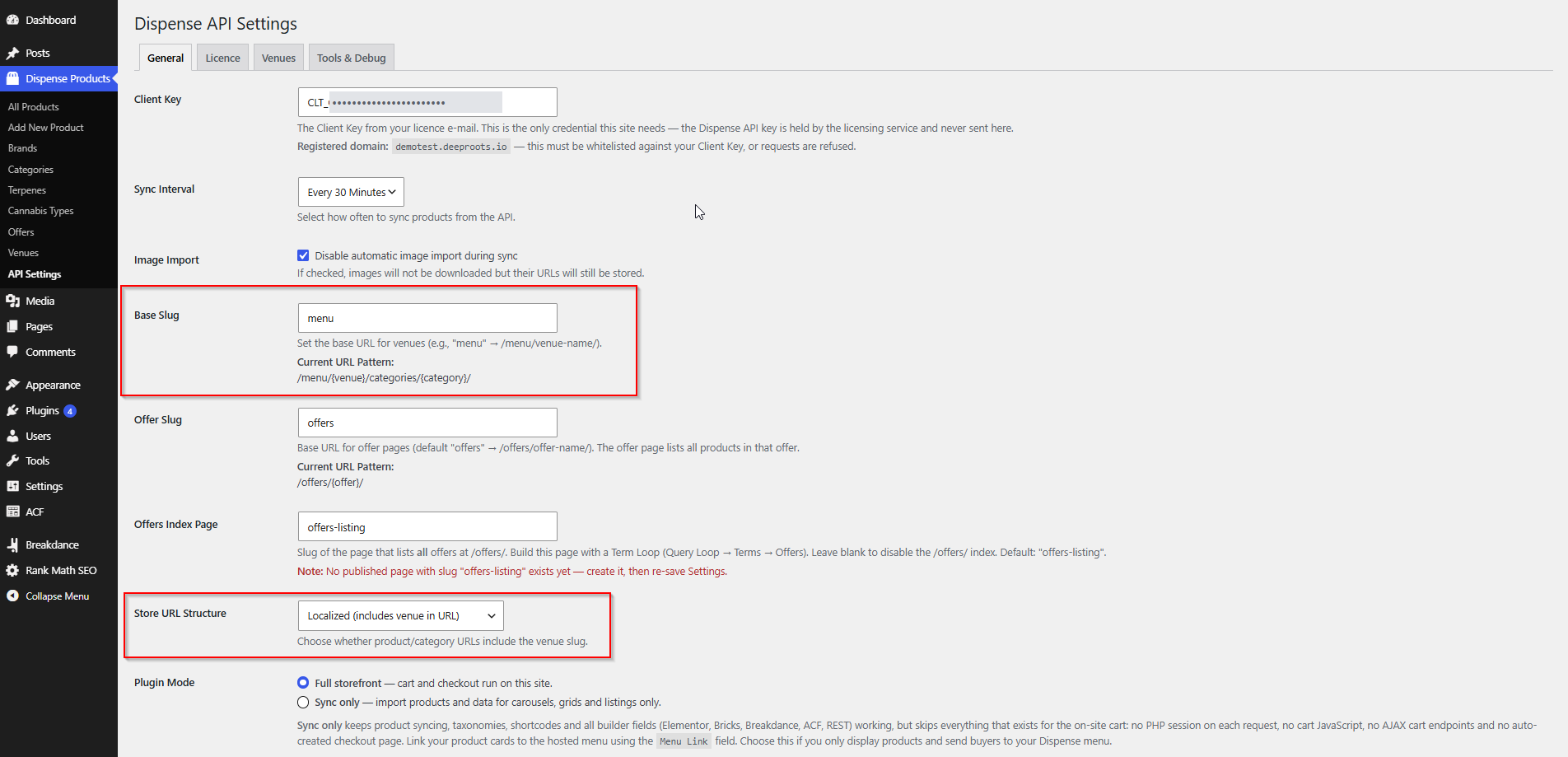
How location appears in your web addresses
Set this at AIQ Ecommerce Products → API Settings → General → Store URL Structure.
Localized (default)
The venue slug is part of the address:
/{base-slug}/{venue}/categories/{category}/
/{base-slug}/{venue}/product/{product-slug}/
With the default base slug menu and a venue slug camden:
/menu/camden/categories/flower/
/menu/camden/product/blue-dream-3-5g/
Universal
The venue is left out:
/categories/{category}/
/product/{product-slug}/
The Base Slug field sets the {base-slug} part. Change it to match your site’s language — menu, shop, store, dispensaries. The General tab shows the resulting pattern under Current URL Pattern as you type.
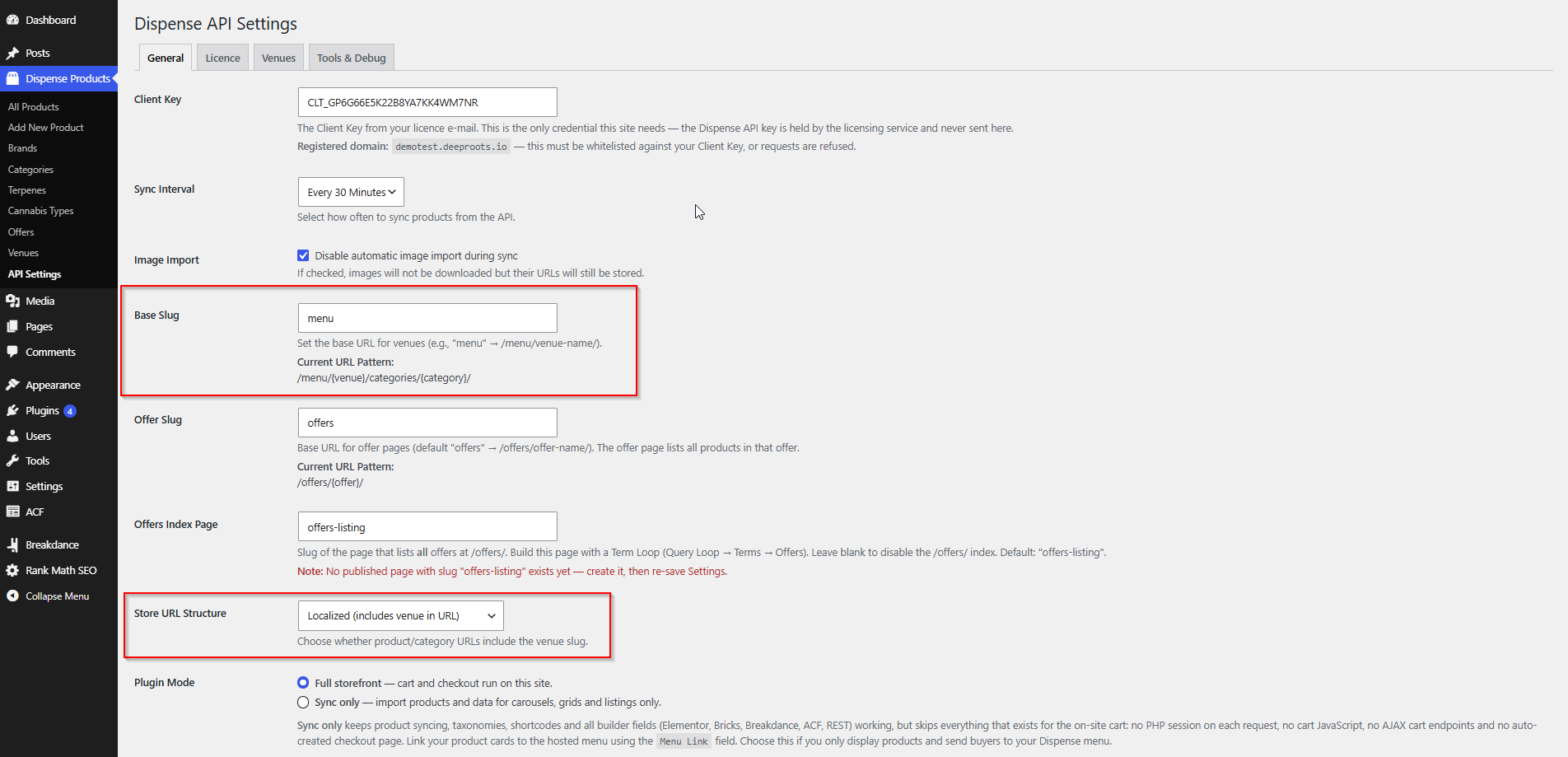
Saving a new base slug creates or renames the corresponding parent page and re-points any child pages at it, then refreshes your permalinks. The old page is set to draft rather than deleted.
Full detail, including what to check after a change: URL Structure & Page Addresses.
Common problems
I unticked a venue by accident and the products are gone.
Re-tick it and run a manual sync. The products come back. Any manual edits made to them do not.
The same product appears twice in my listing.
You are syncing several venues with Universal URLs. Either filter the listing by venue, or switch to Localized.
Product URLs show the wrong location.
A product’s URL uses the venue it was imported from. If it looks wrong, check the venue slug under AIQ Ecommerce Products → Venues — that slug is what appears in the address.
I changed the base slug and now everything 404s.
Go to Settings → Permalinks and click Save Changes without altering anything.
The Venues tab shows an error rather than a list.
That is a licence or connection error, not a venue problem. See Error Messages Explained.